
For contractors and service businesses
Quote from your own rates.
JobInvoice turns the prices you already charge into clean quotes and invoices, then keeps each job's client, photos, notes and payments in one place.
- Works offline
- No account needed
- iPhone, iPad and Android
Northline Works
284 Oak Street, Portland, OR 97205
Quote Q-0104
Issued Sep 12, 2026 · Valid until Oct 12, 2026
Client
Willow & Pine
| Description | Qty | Amount |
|---|---|---|
| Carpentry | 12 h | 720.00 |
| Oak flooring, supply and fit | 18.5 m² | 1,563.25 |
| Waste removalOptional, not in the total | 1 item | 140.00 |
How it works
From price list to paid, without typing anything twice.
-
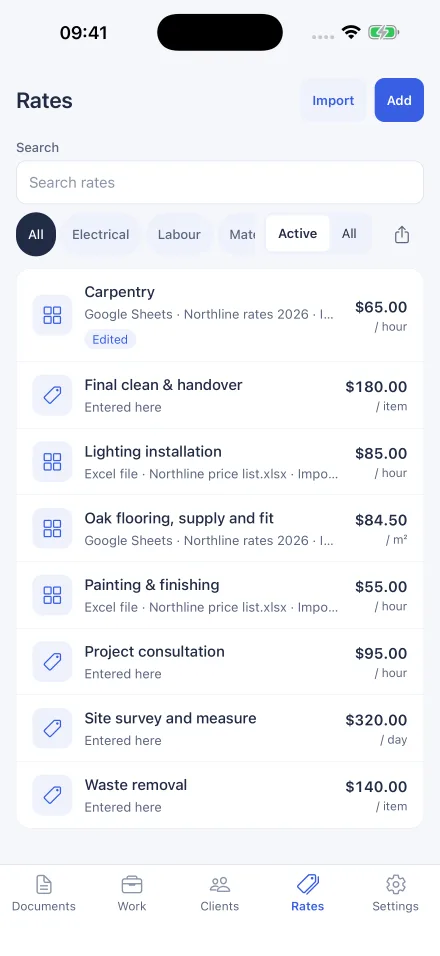
Set your rates
Keep one price list
Enter your services once, or import the list you already use. Each rate shows where it came from, so you can trust the number before a customer sees it.
-
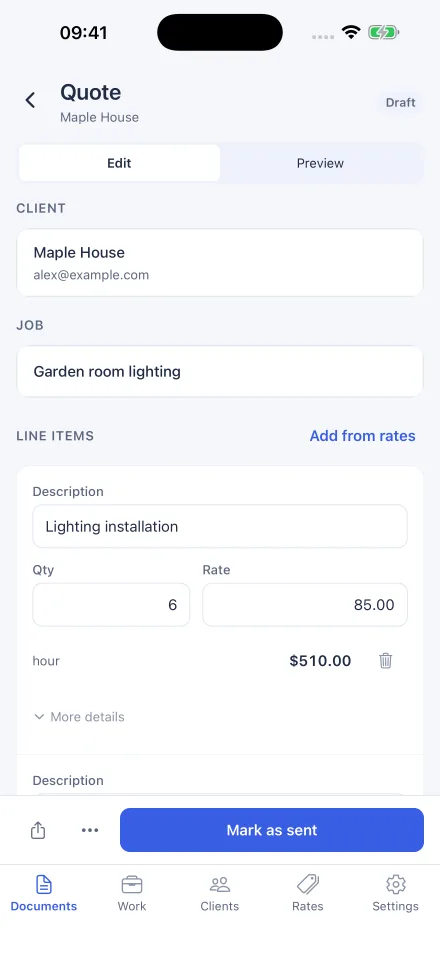
Build the quote
Pick rates, set quantities
Add lines from your list, adjust quantities, discounts and tax, and mark extras as optional. The totals update as you go.
-
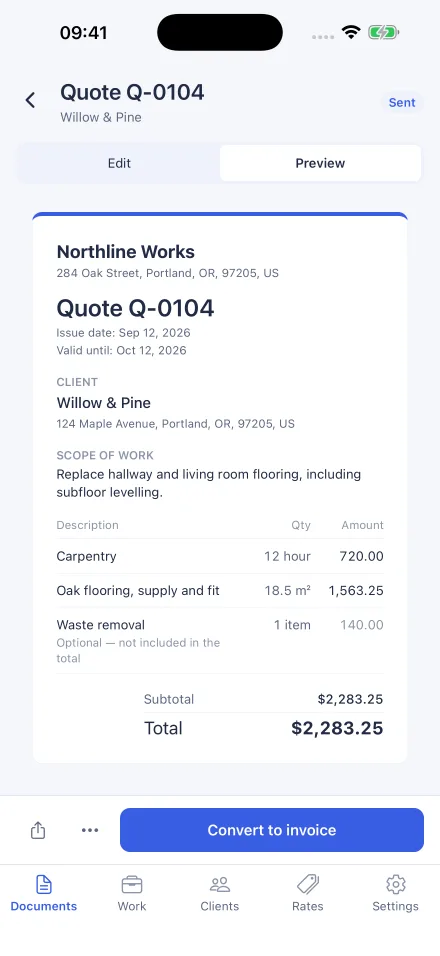
Send, then convert
Share a PDF, convert when it's accepted
Send a clean PDF quote. When the customer says yes, turn it into an invoice with every line and detail carried over.
-
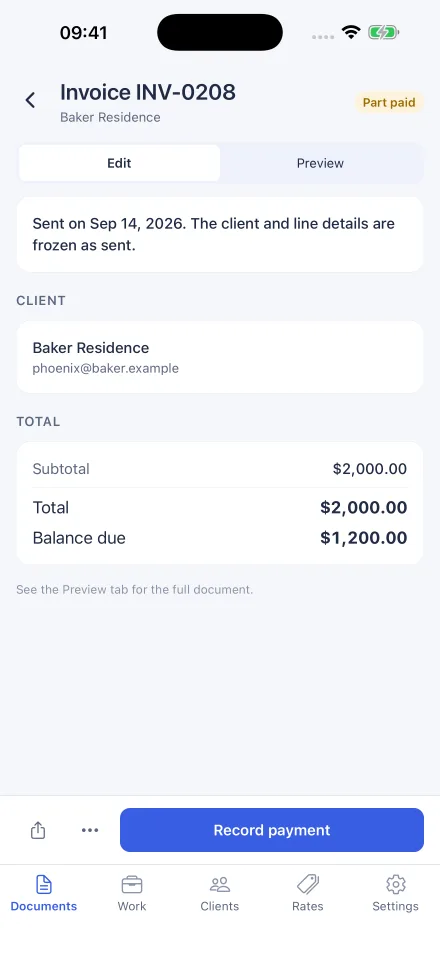
Get paid
Record every payment
Log deposits and part payments as they come in, see what's still owed, and share a PDF receipt for each one.
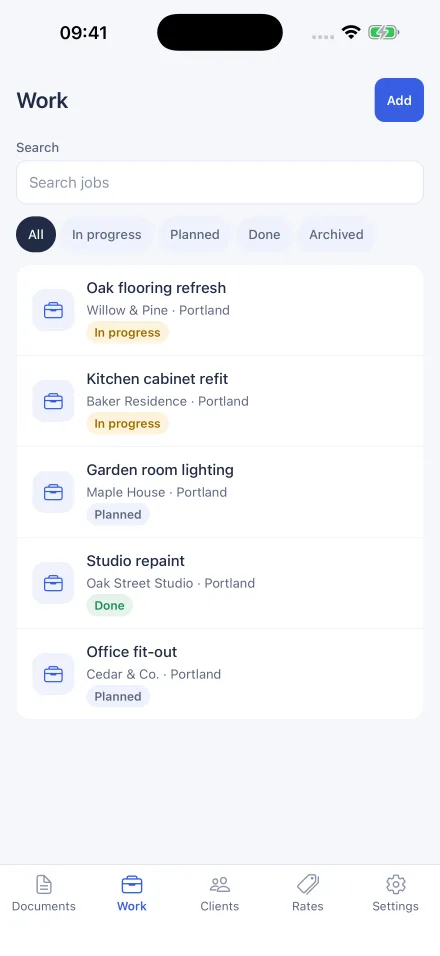
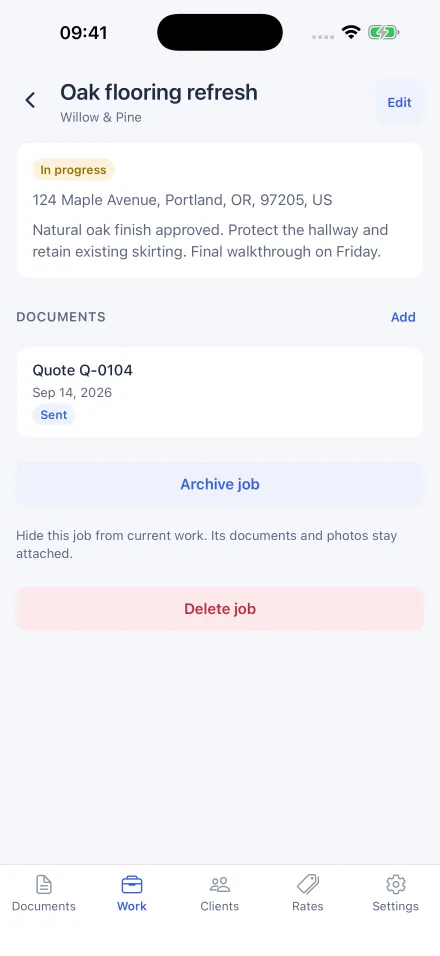
The Work tab
Every job keeps its own folder.
Keep track of what's planned, in progress and done, and find a job's paperwork without hunting for it.
- Site address, status and notes for each job
- Photos from the site, kept with the job
- Quotes and invoices linked to the work they're for
- Clients optional: start a job before you know who's paying
Bring your prices
Start from the spreadsheet you already have.
Import your rates, review every row before it's saved, and export them again whenever you like.
CSV
From any spreadsheet or accounting tool that can export one.
Excel
Pick the worksheet and match its columns to name, price and unit.
Google Sheets
Paste a link. JobInvoice reads that one sheet, read-only, only when you import.
Phone and tablet
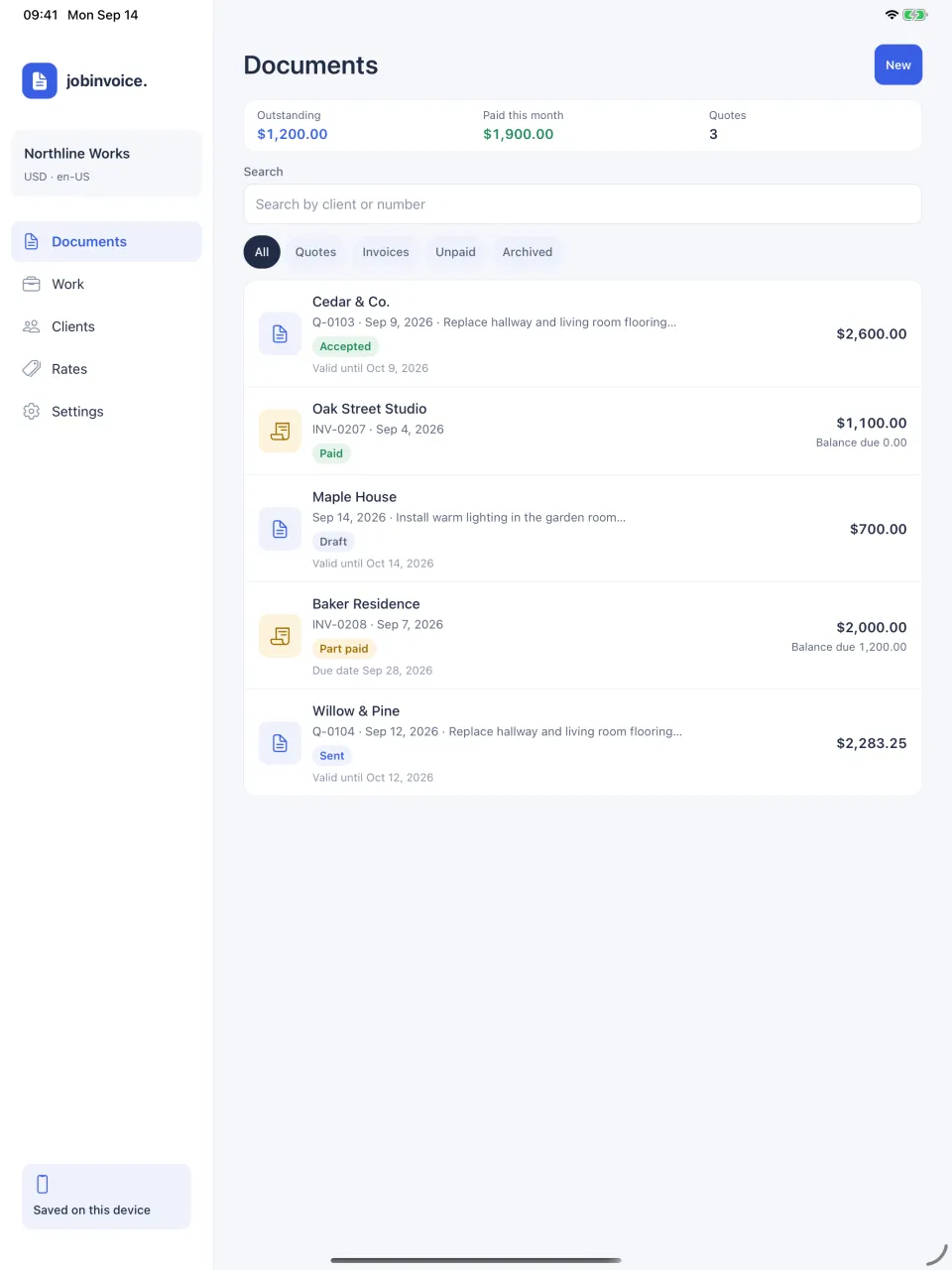
Room to work on a bigger screen.
On iPad and Android tablets, navigation moves to the side and your documents get the space they need.
- Quotes and invoices in 43 currencies
- US Letter or A4 PDFs
- Tax, line discounts and document discounts
Your records
Your business stays on your device.
There's no account and no JobInvoice server holding your client list. Read the privacy policy for the details.
- Works offline
- Clients, rates, jobs and documents are saved on the device and open without a connection.
- No sign-up
- Open the app and start your first quote. There's nothing to register.
- Backups you control
- Export a backup file whenever you like and keep it where you choose. Job photos stay on the device.
- Read-only Google access
- Google Sheets imports read only the spreadsheet you pick, and only while you import.